// built by one animator, for the rest of us
I built
the screenwriting tool
I actually needed. Now you can use it.
I got tired of writing a scene, then pasting it into a spreadsheet to build a shot list, then reading it again with a highlighter to pull props and locations into a third file.
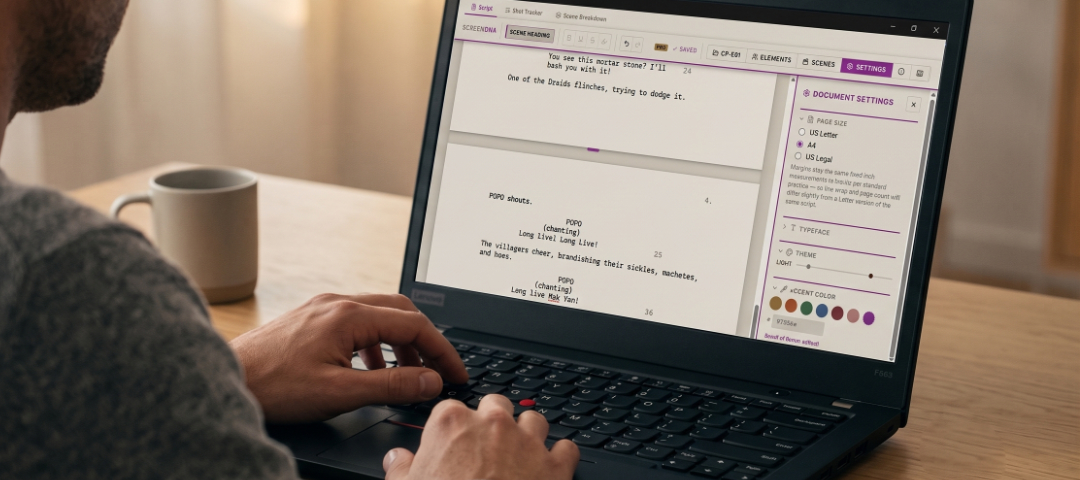
Screen DNA keeps the writing and the production data in the same room. So the script you write is the shot list, the breakdown, and the pull list, all at once.
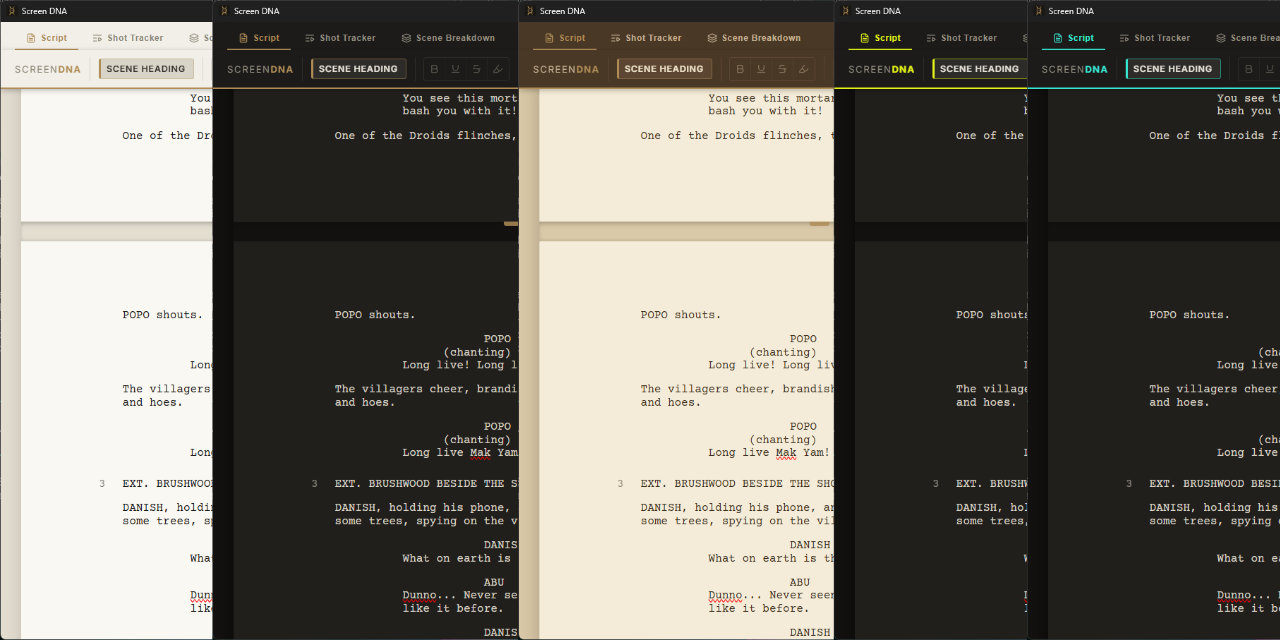
Try the app's own theme picker →
This is the real theme + accent system from the app's Settings panel. This whole page is running on it.
// see it in action
A closer look
A quick tour through the Script Editor, Shot Tracker, and Scene breakdown. See how it actually works before you download.
// the feature set, without the marketing fluff
From first draft to shot list
Every feature below exists to kill one specific piece of friction between the page and the final render.
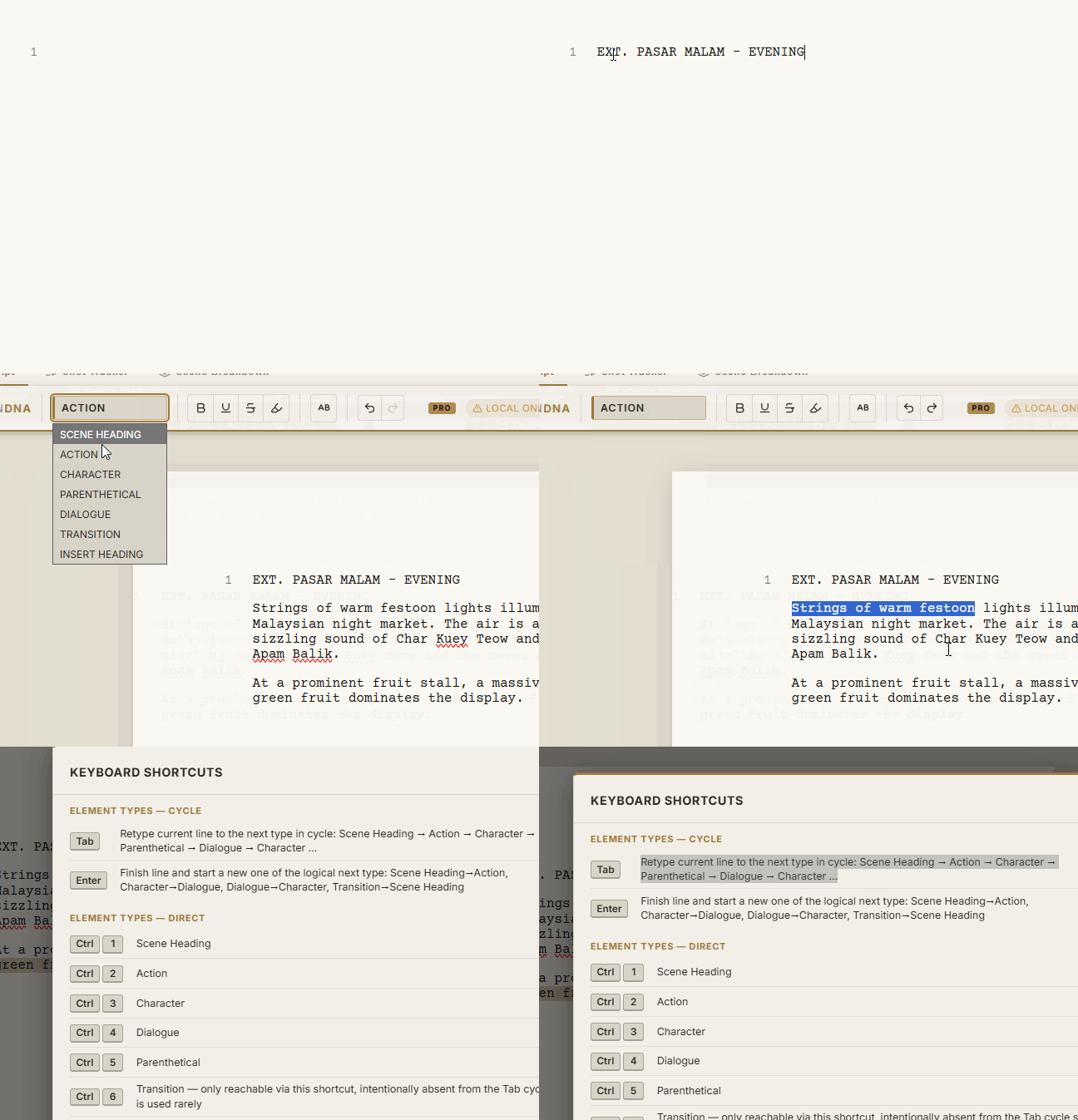
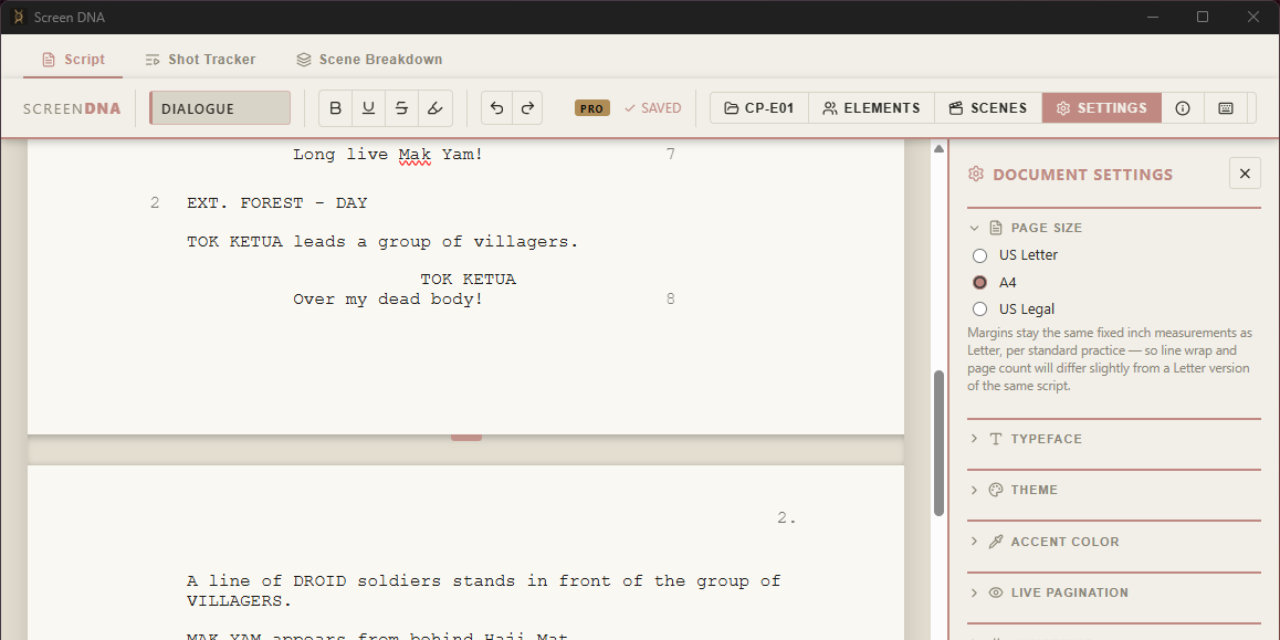
Auto-format as you write
Scene Heading, Action, Character, Parenthetical, Dialogue, Transition: correct margins and casing the moment you type them. Hit Tab or Enter and the app predicts the next element, so your fingers stay on the home row instead of hunting for formatting menus.
- Live pagination, scene length in accurate eighths (real 12pt Courier metrics)
- Auto-numbered scenes & dialogue
- Character & location autocomplete
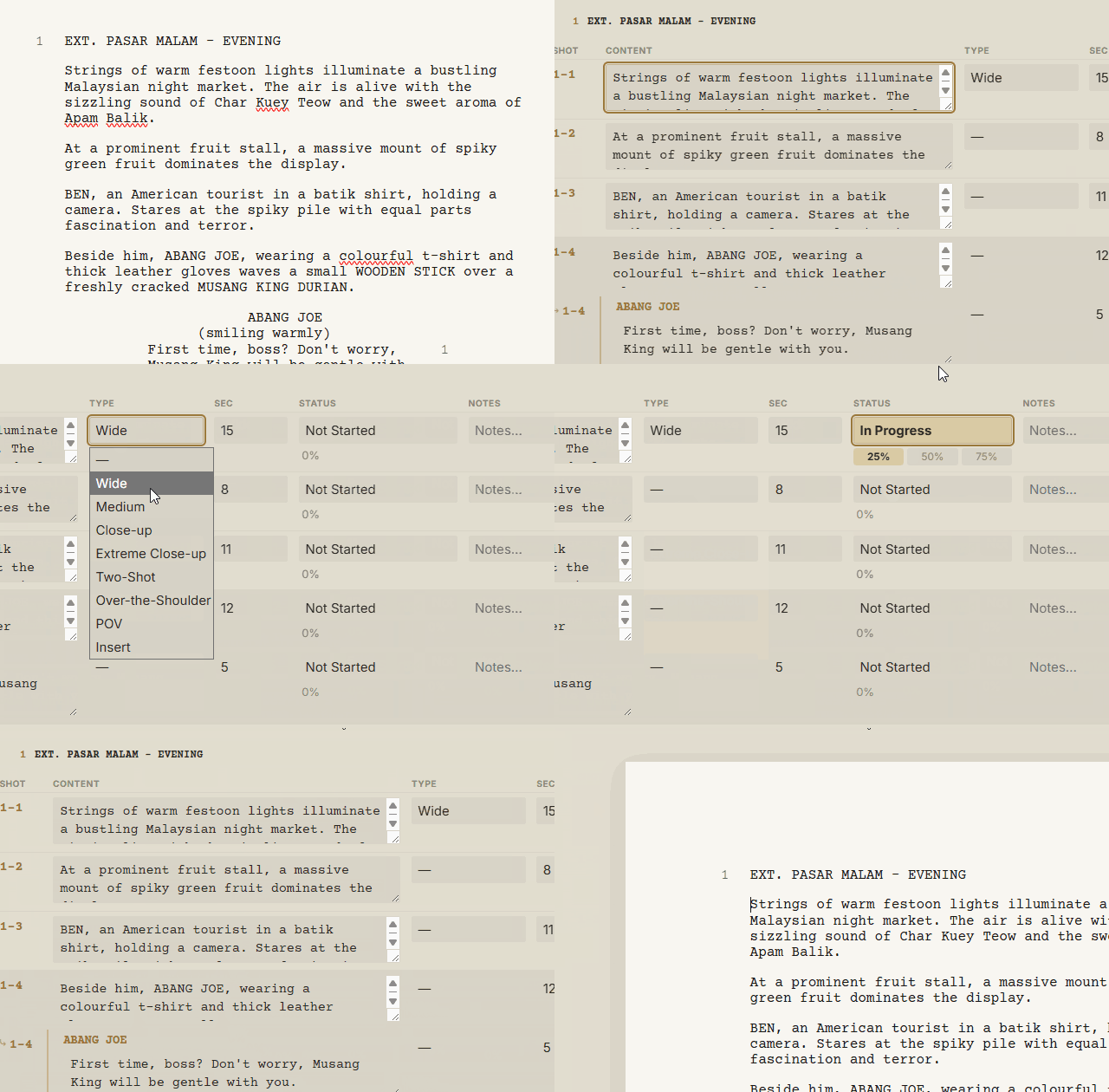
Shot Tracker
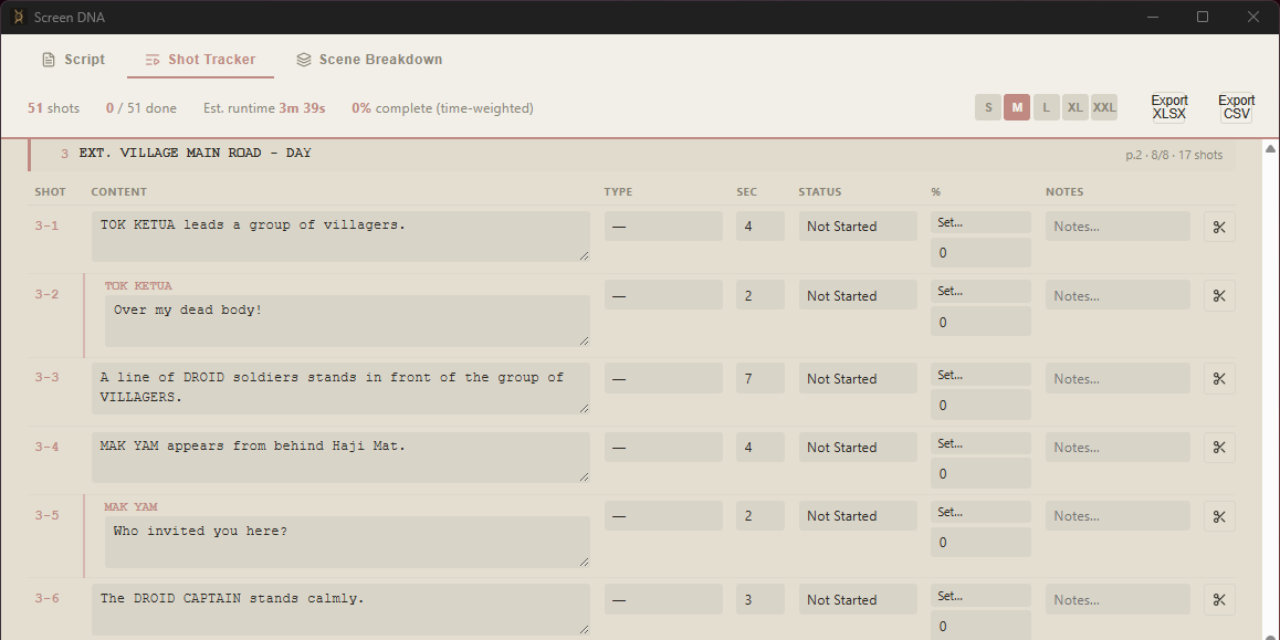
Your script is now a live database. Move your cursor to a line and the tracker highlights that exact shot. Double-click a row and the script jumps straight back to that line. No more digging through a spreadsheet that's already three drafts behind.
- Grouped by scene, page & eighths shown
- Wide, Medium, Close-up, OTS, POV, Insert…
- Zero-redundancy export: a clean, zebra-striped Excel sheet with merged scene cells
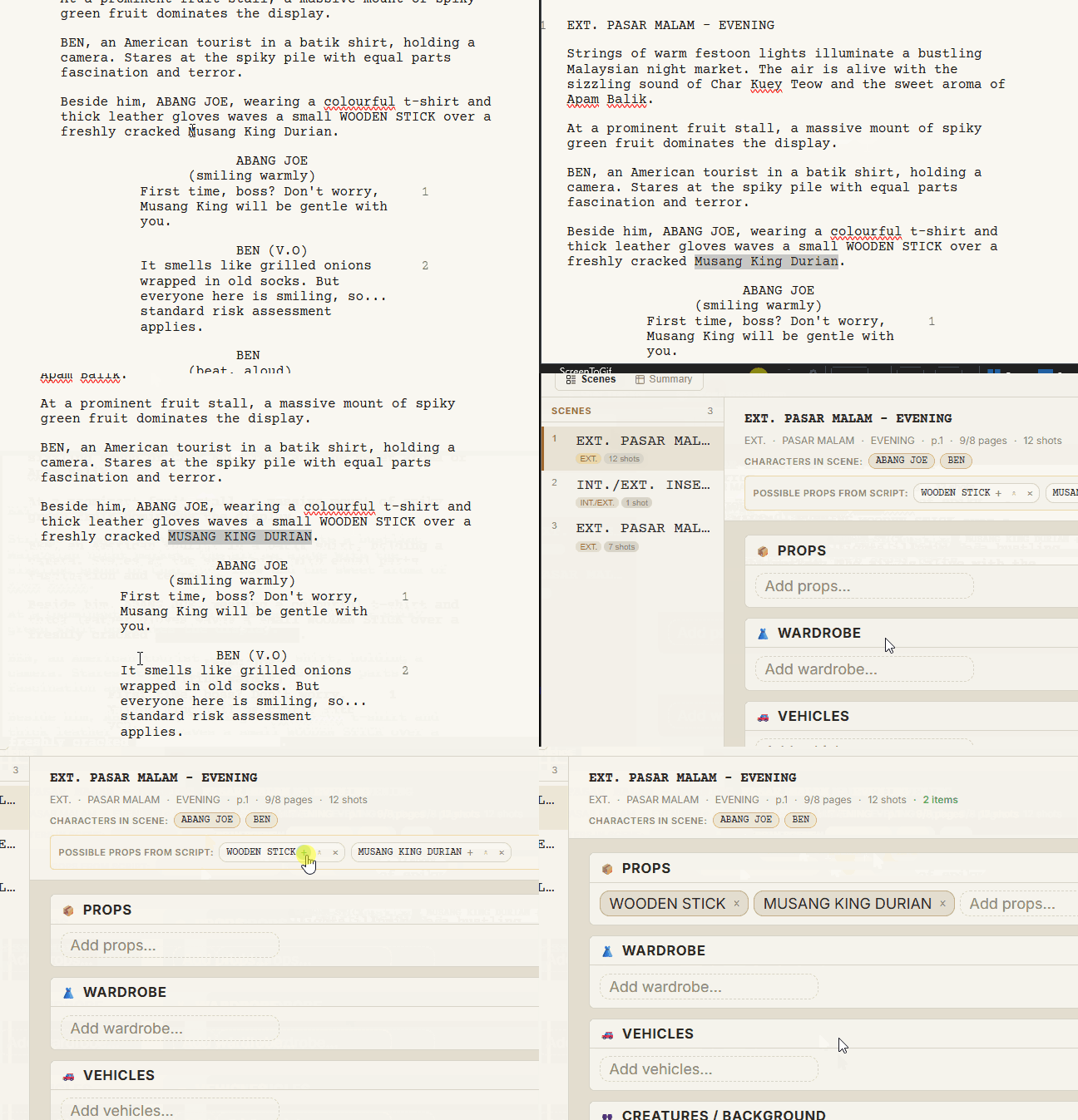
Scene Breakdown
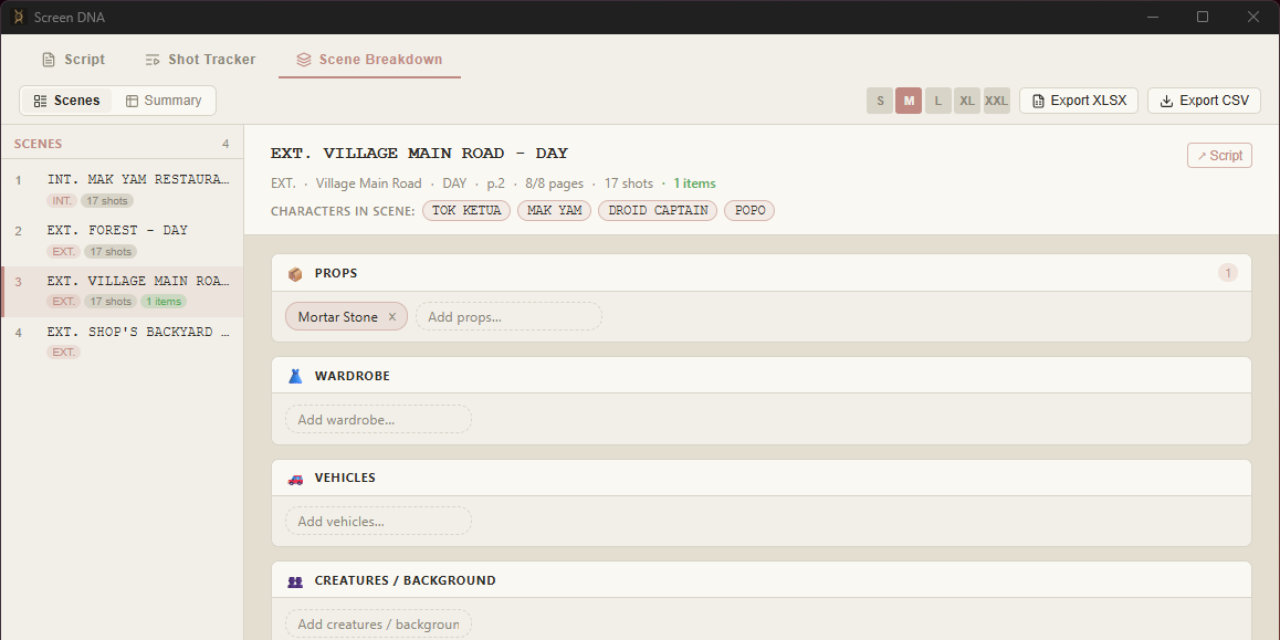
The moment you open the panel, it's already isolated the INT./EXT. states, the locations, the time of day, and every character who speaks. Every ALL-CAPS word in your action lines gets flagged as a candidate prop. Review it, click once to approve, and you've got a working pull list generated straight from your prose.
- Props, Wardrobe, Vehicles, Creatures/BG, FX, Sound
- Cross-scene summary tables
- Five-sheet XLSX workbook, or CSV
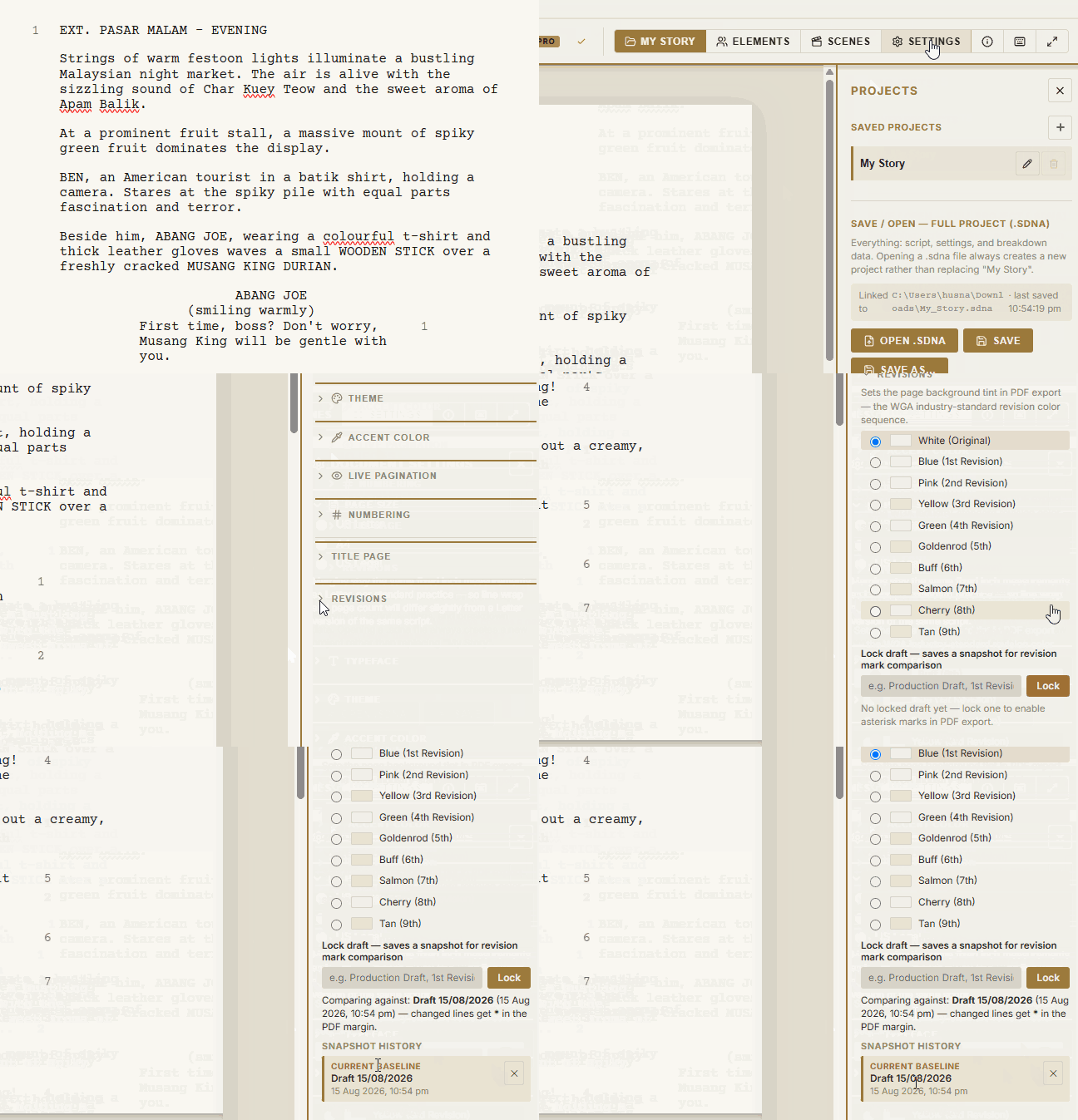
Revision tracking
Lock a draft, and every change after that gets marked in the margin using standard production revision colors, the same system a physical revised-pages set would use.
- White, Blue, Pink, Yellow, Green, Goldenrod…
- Element-level change diffing
// local-first, actually
No cloud accounts. No subscriptions. Just the app.
Screen DNA doesn't have a server to phone home to. There's no forced sign-up, no tracking, no cloud sync. Your scripts, shot lists, and breakdown data live entirely on your machine.
Once your Pro key is validated, the app runs completely offline. It doesn't care if you're in a cabin with no signal or just trying to disconnect from the internet to get work done. And it's a one-time purchase.
Buy it once, own it forever, no subscription slowly chipping away at your production budget.
// pricing
Find your setup.
No subscription, no trial timer. Buy Pro when you're ready to break your script down.
Free
- ✓ Full screenwriting editor
- ✓ Unlimited projects & pages
- ✓ Save / open native .sdna files
- ✓ PDF export (watermarked)
- – Shot Tracker, Scene Breakdown
- – Revision tracking, Dialogue Polisher
Pro
- ✓ Everything in Free
- ✓ Clean PDF export, no watermark
- ✓ OSF import / export
- ✓ Shot Tracker + XLSX/CSV export
- ✓ Scene Breakdown + XLSX/CSV export
- ✓ Revision tracking & Dialogue Polisher
// download
Get Screen DNA
If you're ready to stop managing paperwork and start executing your project, grab the installer below and see how it fits your workflow.
What’s new in v1.3.0
[1.3.0] - 2026-07-30
Added
- Insert Heading (INSERT / BACK TO SCENE). A new line type for this — reachable via Mod-7 — with autocomplete for both standard values. Treated correctly as a sub-segment of the scene it's written in: it never gets its own scene number, never splits Shot Tracker or Scene Breakdown's per-scene grouping, and moves automatically with its parent scene when that scene is reordered. Shows up as small clickable chips under its scene in the Scene Navigator. Also now round-trips correctly with Final Draft's own "Shot" paragraph type on OSF import/export, which previously had nowhere to go.
- Scene Navigator: jump-to-top / jump-to-bottom buttons, alongside the existing single-step and drag-and-drop reordering.
- Native file saving. Save and Save As are genuinely different actions now: Save silently writes to your project's linked
.sdnafile once one exists (Ctrl/Cmd-S now does something), Save As always lets you choose a new location. Opening a project through the native Open dialog links it immediately, no first save required. - Autosave now also writes to your linked file on disk, not just browser storage — atomically, so an interruption mid-save can never leave a corrupted file behind. Runs alongside the existing local autosave, not instead of it.
- Scene Navigator: a line shows exactly where a dragged scene will land while you're dragging it, following one simple rule — wherever you drop, the scene goes directly above that row.
Changed
- Save status indicator redesigned into a single compact badge instead of a wordier readout: just an icon most of the time, growing to show text only when something actually needs your attention — not yet linked to a file, a failed file save, or a local save failure.
- Autosave-to-file frequency reduced to once a minute, down from a much shorter interval, with immediate saves triggered by switching away from the app, switching projects, or closing it — so in practice the wait is usually much shorter than a minute.
Fixed
- Tabbing (or pressing Enter) out of an empty, untouched Parenthetical no longer leaves a stray
()behind on the next line. - Scene Navigator drag-and-drop now actually works — a Tauri default setting was silently swallowing in-page drag events (this also likely restores the script editor's own built-in drag-to-reposition-selected-text behavior, which was probably affected the same way).
- Fixed the save status indicator briefly showing an oversized font in certain states, caused by a CSS specificity bug.
 Windows
64-bit installer (NSIS). Windows may flag it as unrecognized. Choose "More info → Run anyway."
Download for WindowsSHA-256: e0d3f6c4ddbc…5f6bfa6d
 Linux
Linux
Pick the format for your distro. Run chmod +x on the AppImage before launching.
AppImage SHA-256: 3dd0bf2852bc…3c5acf24
.deb SHA-256: 3a20f0a62140…52be3c71
.rpm SHA-256: 4245b102e3ea…2ecf3b50
macOS isn't packaged yet. Already have a Pro key? Activate it under About → Activate Pro.
// faq
Questions people ask
Does my script ever leave my computer?
No. Script content, shot metadata, breakdown tags, and revision snapshots all stay local. The only network request the app ever makes is a one-time license check when you activate Pro. After that, it doesn't need you online at all.
What happens to Free-tier projects if I later buy Pro?
Nothing changes about your files. Pro just unlocks the extra views and clean export. Your existing .sdna projects open exactly as they were.
Can I import from Final Draft or Fade In?
Yes, via Open Screenplay Format XML (.xml). Import is available on Free; full OSF-XML export is a Pro feature.
Is there a refund policy?
Refunds are available within 7 days of purchase, as long as your license key hasn't been activated yet. Once activated, the purchase is final, same as most unlocked software. If something's genuinely broken (a bug, a key that won't activate), reach out and we'll make it right regardless of the window. See the full refund policy on the Payhip purchase page.
Is macOS coming?
It's on the roadmap. Distribution requires Apple code signing and notarization, which isn't done yet.